Jira (user passthrough) connector
The Jira (user passthrough) connector exposes Jira Cloud as a set of MCP tools (search issues, get issue, list projects, create / update / transition issues) through the PolicyArc gateway. Every tool call carries the caller's own Atlassian token, so Jira's per-user permissions and audit trail apply naturally — there's no shared service account.
You must have the Atlassian identity provider connected first with the classic Jira scopes read:jira-work, read:jira-user, write:jira-work, plus read:me on the User Identity API. The connector reuses that IDP — no extra credentials.
Step 1 — Open the Add Connector screen
Open Resources → Add connector (or click Pick a connector from the environment dashboard).
In the Unlocked by your identity providers section, the Jira (user passthrough) template will show a green border once the Atlassian IDP is connected.
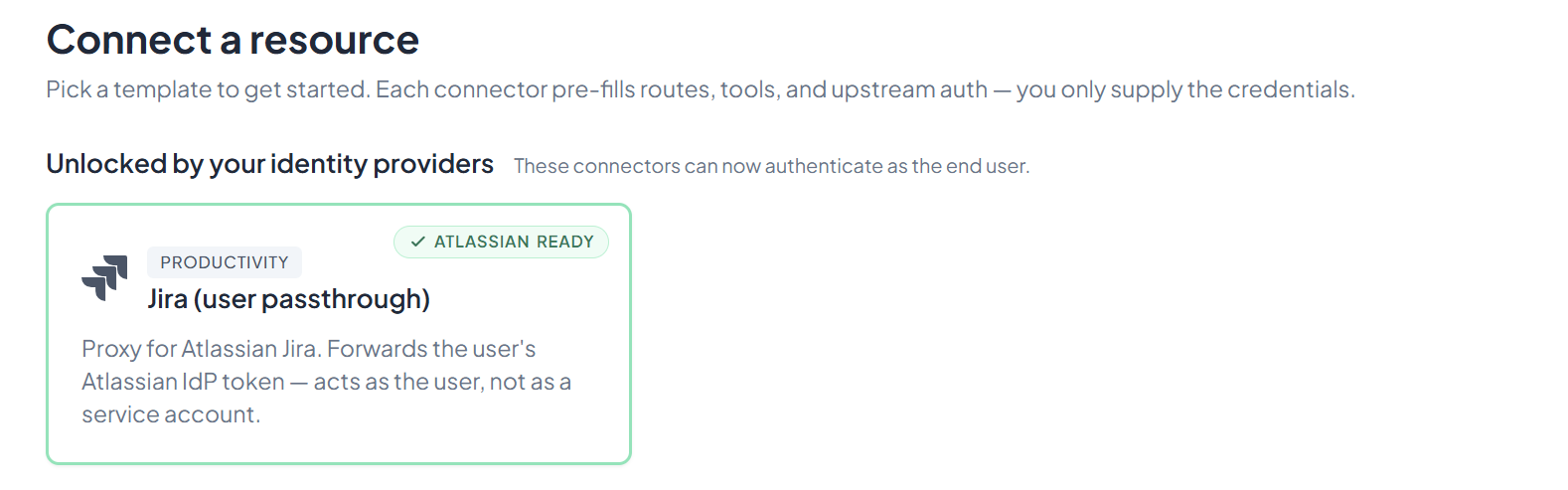
Click Jira (user passthrough).
Step 2 — Enter your Atlassian site
You'll see a two-field setup form:
- Atlassian site — the subdomain in your Jira URL. For
https://acme.atlassian.netyou enteracme. - Atlassian cloud ID — leave this blank. PolicyArc fills it in automatically.
Type the site name and press Tab. PolicyArc calls Atlassian's /_edge/tenant_info endpoint and populates the Cloud ID for you.
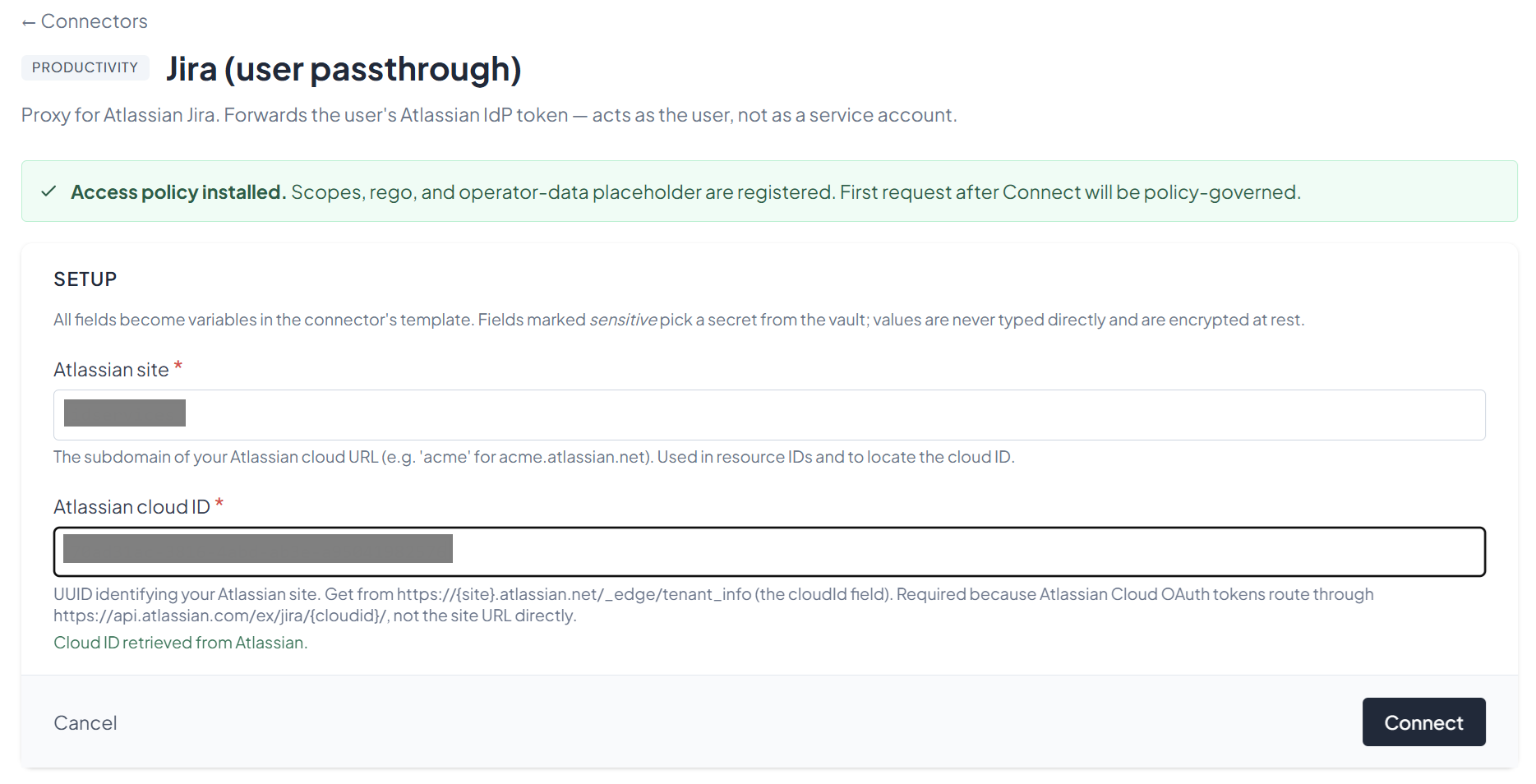
You can sanity-check the value by opening https://<site>.atlassian.net/_edge/tenant_info in a fresh browser tab — the cloudId field is what PolicyArc just fetched. PolicyArc needs the cloud ID because Atlassian's OAuth tokens route through https://api.atlassian.com/ex/jira/{cloudId}/, not the site URL directly.
When both fields are filled, click Connect.
Step 3 — Confirm the connector
After connecting, you'll see the connector's status screen. The Jira tools are now available on your gateway as MCP tools:
search_issues— JQL search across issues.get_issue— fetch a single issue by key.list_projects— paginated list of visible projects.create_issue,update_issue— write actions, gated by thejira:issues:writescope.get_transitions,transition_issue— workflow transitions on an issue.
The default scope jira:issues:read covers reads; write tools require jira:issues:write, and project listing requires jira:projects:read. Your policy decides which clients get which.
What's next
The Jira tools are now on your gateway. Pick an MCP client to wire up:
- Recommended: Claude Code — fastest path to verify end-to-end.
- All MCP clients →
The walkthrough above uses user passthrough — each caller signs in with their own Atlassian account. If you need a shared service-account pattern (ops bots, batch reporters that don't have a human identity), Atlassian's API-token-based connector is a separate template. Contact us if you need that flow documented.